What pages should a service business website have?
This guide is for business owners who are building their first website, redesigning an existing one, or wondering whether their current site is missing something important. It is written for therapists, accountants, insurance agencies, attorneys, and similar service businesses where reputation matters and clients choose a provider they trust with something important to them.
There is no single correct list of pages. The right structure depends on what you sell, who you sell it to, and what you want a visitor to do next. This guide explains what each common page is for, what belongs on it, and how to decide whether your business needs it.
The short answer: Most service businesses start well with a Homepage, Services page (or, ideally, separate pages for each major service), About page, Contact page, and a privacy policy. The full starter list is near the end of this guide, and the sections in between will help you decide which other pages fit your business.
Prefer to work through this on paper? The Service Business Website Page Checklist turns this guide into a two-page list you can print or save.
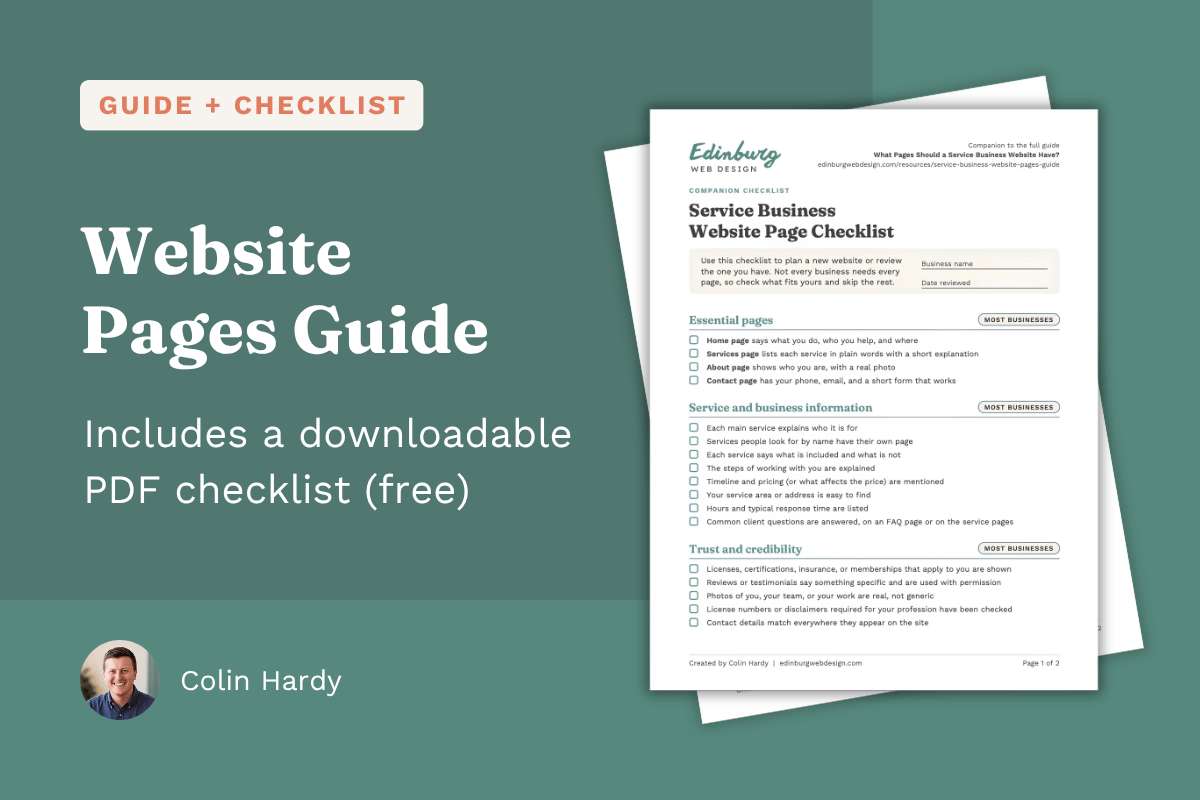
Table of contents
Why website pages matter
A website is a set of answers. Someone arrives with questions in mind, and each page should answer one of them.
Most first-time visitors are trying to settle a short list of questions:
Does this business do what I need?
Do they work with people like me, or in my area?
Can I trust them?
What happens if I get in touch?
How do I reach them?
Pages give those answers a home. A few practical reasons the page structure matters:
Visitors can find what they need. Clear page names and a simple menu let a person jump straight to the answer instead of scrolling through one long page.
Search engines work with pages. Search results point to individual pages, not to websites as a whole. A page focused on one service gives search engines and people a clear idea of what that page covers. A single catch-all page has to cover everything at once.
Pages shape trust. A visitor who can see who you are, what you offer, and how to contact you tends to have fewer reasons to hesitate.
Pages create ongoing work. Every page you publish is a page you need to keep accurate. More pages is not automatically better.
The goal is not to build the largest website possible. The goal is a site where every page has a clear job and purpose.
Start with four questions about your business
Before choosing pages, answer four questions:
Who are you trying to reach? A person looking for a therapist has different questions than a business owner shopping for a bookkeeper.
What does that person need to know before they contact you? Think about the questions you hear on the phone and in first meetings.
What action do you want them to take? Call, book a consultation, request a quote, fill out an intake form, or visit in person.
What do you actually have to say? A page needs real content. If you cannot fill a page with useful, specific information, it probably should not exist.
A good rule: a page should exist because a visitor needs it and you have something actually useful to put on it.
The core pages
These four pages make up the backbone of most service business websites.
Homepage
Job: Help a new visitor confirm they are in the right place and point them to their next step.
What belongs on it:
A plain statement of what you do, who you do it for, and where
A short overview of your main services, linked to their dedicated pages if you have those
A few signs of credibility, such as credentials, years in business, memberships, or a short review
A clear next step, such as a button to book a meeting
Watch out for: Vague taglines that do not say what you do, and trying to put your entire business on the home page. The home page works best as a guide to the rest of the site.
Services
Job: Give an organized overview of what you offer so a visitor can quickly find the right fit.
What belongs on it:
Each service named in the words customers use, not internal jargon
A few sentences on what each service involves and who it is for
A clear call to action, such as a button that leads to your contact page, so interested visitors can become leads.
Watch out for: A bare bulleted list of service names with no explanation, or a very long page that tries to fully explain every service. If a service needs more room, it may deserve its own page (see When does a service deserve its own page?).
About
Job: Let visitors see who they would be working with. Many people are choosing a person or team as much as a service, so this page helps them decide whether you feel like the right fit.
What belongs on it:
Who you are, with a real photo of you or your team
Relevant background, credentials, licenses, and training
How you work and what a client can expect
Why you do this work, in a few honest sentences
A link or button to contact you
Watch out for: Writing only a company history with no mention of the people involved, or writing so much about yourself that the visitor's needs get lost. Tie your background back to how it helps the client.
Contact
Job: Make it easy to reach you and set expectations for what happens next.
What belongs on it:
Phone number, email, and address if customers visit you or if you want to show a local presence
A short form with only the fields you truly need
Hours and typical response time
A short note on what happens after someone reaches out
A map or directions if customers come to a physical location
Watch out for: Long forms, forms that fail silently, and contact details that are only found in the footer. Also test the form yourself regularly. A broken form can cost you inquiries without you knowing.
Pages many businesses benefit from
Individual service pages
Job: Explain one service in enough depth that the right customer feels confident reaching out.
What belongs on it:
Who the service is for and what problem it solves
What is included, and what makes your approach to this service different
How the process works, step by step
Typical timeline, and pricing or pricing factors if you are comfortable sharing them
Relevant credentials, examples, or reviews
Common questions about that service
One clear next step
To decide whether a service needs its own page, see When does a service deserve its own page?
FAQs
Job: Answer the questions people ask before they are ready to contact you, which saves time for both sides.
What belongs on it:
Real questions you hear from clients, answered directly
Practical topics such as pricing, timelines, what to bring or prepare, insurance or payment options, and what the first meeting looks like
Links to relevant service pages
Options: A standalone FAQ page works well when questions apply to your whole business. When questions relate to one service, they often work better at the bottom of that service's page.
Watch out for: Inventing questions nobody asks, or giving vague answers that avoid the real concern.
Testimonials and reviews
Job: Let past clients vouch for you. Prospective clients like to hear from people who have already worked with you.
What belongs on it:
Reviews that say something specific, such as what the problem was and how it was handled
Details that add credibility, such as the reviewer's name, company (if applicable), job title, or a headshot or photo
Links to your reviews on third-party platforms, if you have them
Options: You may not need a dedicated page. Placing a few strong reviews on the home page and on relevant service pages can work well. A dedicated page makes more sense once you have enough reviews that a single page adds value.
Watch out for: Editing reviews so they no longer reflect what the person wrote, and overlooking any industry-specific rules on testimonials (see Legal and regulated fields).
Pages that depend on the business
Blog or resources
Job: Share useful information that helps current and prospective clients and shows how you think.
When it fits: You have real expertise to share, clients ask recurring questions, and you can realistically publish and maintain content over time.
When to skip it: If you cannot commit to maintaining it, a blog with a last post from two years ago can make a business look inactive. A small set of well-written guides, linked from relevant pages, can be a good alternative to a blog.
Location or service-area pages
Job: Show where you work, and help people in specific places see that you serve them.
When it fits:
You serve several distinct towns or cities and want to describe your work in each
You have a physical location, or multiple locations, that customers visit
You have real, specific content for each place, such as local projects, local knowledge, or local contact details
Watch out for: Creating many near-identical pages that only swap in a different city name. Pages like these give visitors little value and can look like filler. If you serve a wide area, a single, well-written service area page listing the places you serve is often enough to start. Create separate pages for a location only when you have something genuinely different to say about it.
Pricing or packages
Job: Help visitors understand what working with you costs, so they can decide whether to get in touch.
When it fits: Your pricing is fairly standard and sharing it saves you from repeated conversations. If your prices vary by project or client, you still have options: a "starting at" price, a price range, a sample package or example project with typical pricing, or a short explanation of what affects the price.
Portfolio, gallery, or case studies
Job: Show real work or real results so visitors can picture what they would get.
When it fits: Your work is visible or the results can be described, such as a facility or studio gallery, a before-and-after, or a client outcome you have permission to share. For businesses where client confidentiality is central to the work, such as therapists or attorneys, this page usually does not apply.
Booking, scheduling, or client portal pages
Job: Let clients book, upload documents, or view information without back-and-forth by phone or email.
When it fits: Clients regularly book appointments, upload documents, or log in to see information. These are often links to a separate tool rather than a page you write yourself.
Careers or join our team
Job: Attract applicants and explain what it is like to work with you.
When it fits: You hire regularly. A short page is fine for a small business.
Thank-you page
Job: Confirm that a form was received and explain what happens next.
When it fits: You have a contact, quote, or booking form. Many website platforms can show a simple message instead, so check what yours supports.
Legal and policy pages
Several pages exist mostly to protect you and your visitors rather than to attract business.
Privacy policy. Most websites collect some information through contact forms, analytics tools, or advertising tools. A privacy policy explains what is collected and how it is used. Some third-party tools and platforms require you to have one, and privacy laws in many places require one under certain conditions.
Terms of use or terms of service. Sets out rules for using your website, and sometimes for using your services. It is more common on sites that sell online or offer a client portal than on purely informational sites.
Disclaimers. Some professions commonly add notices, such as a statement that website content is general information and not individualized advice, or that a website is not for emergencies.
Accessibility statement. Some businesses publish one to describe their efforts to make the site usable for people with disabilities and to offer a way to report problems. Whether it is needed or useful depends on your situation.
Cookie notice. Tells visitors that your site uses cookies and how they are used. What it says depends on the tools your site uses.
Important: A policy is meant to describe what a particular website actually does, so text written for another site may not fit. Requirements vary by location, industry, and the tools used, and an attorney can confirm what applies to your business. This guide is general information and not legal advice.
Legal and regulated fields
Some professions have rules about what a website can say or must include. Examples include rules about displaying license numbers, using client testimonials, making claims about results, or protecting client privacy. If you work in a field with a licensing board or professional association, check its advertising and website guidelines before publishing. This commonly applies to healthcare providers, attorneys, accountants, and insurance and financial professionals.
When does a service deserve its own page?
A useful test: would a customer search for this service by name, and do you have enough to say about it to help them decide?
A service usually deserves its own page when:
People look for it by name, such as "small business bookkeeping" or "couples counseling"
It serves a different type of customer than your other services
It has its own process, timeline, price range, requirements, or qualifications
It is a service you would like to attract more clients for
Explaining it well would take more than a short paragraph
Customers often ask the same specific questions about it
A service usually does not need its own page when:
It is a minor variation of another service, and the explanation would be nearly the same
You rarely offer it
You have only one sentence to say about it
Splitting it out would produce several thin pages instead of one strong page
In those cases, describe the service on your main Services page, and group related offerings under one heading.
It is also fine to start with fewer individual pages and add more later, as you learn which services customers ask about most.
Examples for different service businesses
These are illustrations, not templates. Each shows how the same questions lead to different structures.
Example 1: A therapy practice
Visitor's main concerns: Is this a good fit? Is there a therapist here who works with my situation? Is it affordable? What will the first session be like?
Pages that make sense:
Home
About, with a short profile for each clinician (training, license, approach, a warm and real photo)
Services or Specialties, with separate pages for the main areas of focus, such as anxiety, couples counseling, or trauma, if the practice focuses on them
Fees and insurance
FAQ (what the first session is like, cancellation policy, telehealth options)
Contact or Book a Consultation
Privacy notice
Probably skip: A portfolio, a large testimonials page, or a location page for every nearby town. Rules about testimonials and privacy in this field can limit what you can display, so check with your licensing board.
Example 2: An accounting or tax practice
Visitor's main concerns: Can they handle my situation? Are they credentialed? How do I send documents? What will it cost?
Pages that make sense:
Home
Services, with separate pages for services that attract different audiences, such as individual tax preparation, small business bookkeeping, and payroll
About (credentials, experience, team)
Resources, such as a checklist of documents to gather or a calendar of key tax deadlines, if you will keep them current
Client portal link
Contact
Privacy policy
Possibly useful: An Industries or Who We Help page if the practice specializes in certain types of businesses.
Example 3: A fitness studio
Visitor's main concerns: Is this a place where I will fit in? What does it cost? How do I try it?
Pages that make sense:
Home
Programs or Classes, with individual pages for offerings that differ meaningfully, such as small group training, personal training, or youth programs
Schedule
Membership and pricing
Coaches or Team
Free trial or Contact (with address, parking, and hours)
FAQ (what to wear, what a first visit looks like, cancellation terms)
Reviews, placed on the home page and on program pages
Possibly useful: A gallery of the space and community, and a resources page with helpful content like training or fitness videos (if the owner enjoys creating them).
Example 4: An insurance agency
Visitor's main concerns: Can they help with the type of coverage I need? Are the agents licensed? How quickly can I get a quote?
Pages that make sense:
Home
Insurance types, with separate pages for the main lines, such as auto, home, business, and life, each explaining what the coverage is and who needs it
Request a quote
About (licenses, experience, carriers or partners, if appropriate to share)
Claims help or what to do after a loss
FAQ
Contact
License information and required disclosures
Watch out for: Insurance advertising is regulated at the state level. Confirm what disclosures, license numbers, and advertising rules apply in your state before publishing.
Example 5: A residential contractor
Visitor's main concerns: Can they do this kind of work? Are they reliable and insured? Do they serve my area? How do I get an estimate?
Pages that make sense:
Home
Services, with individual pages for the main types of work, such as kitchen remodeling, custom pool design, or outdoor living spaces
Projects or Gallery, with real photos and a short description of each job
Reviews
How It Works, explaining the estimate and project process
About (history, license, insurance, team)
FAQ
Request an Estimate or Contact
Watch out for: Some licensed trades have rules about displaying license numbers. Check with the relevant licensing authority.
Other service businesses
Attorneys, financial advisors, chiropractors, massage therapists, consultants, and other professionals can use the same approach. Start with the four core pages, then ask, for each additional page, whether a customer needs it and whether you have real content for it.
Common mistakes when planning website pages
Organizing the site around the business instead of the visitor. Menu items like "Our Solutions" or "Capabilities" may be clear to you but not to a first-time visitor. Use plain labels such as Services, About, and Contact.
Putting everything on one page. A single long page can work for a very simple business, but it limits how much you can explain and how easily each topic can be found.
Creating many thin pages. A page with two sentences adds clutter. Combine related topics until each page has something useful to say.
Writing a Services page that is only a list. Visitors need at least a short explanation of what each service is and who it is for.
Making a separate page for every tiny variation. If the page would repeat another page with a few words changed, combine them.
Copying location pages with only the city name changed. Create a location page only when you have something real to say about that place.
Burying the next step. If a visitor cannot easily find how to contact you or take the next step, you may lose business from people who were ready to reach out.
Crowding the menu. The main navigation menu is the row of links at the top of every page. Too many items make it harder for visitors to choose where to go. Keep it to your most important pages, group related pages under a dropdown (for example, individual services under Services), and move pages visitors rarely need, such as legal pages, to the footer.
Starting a blog you cannot maintain. Outdated posts can make a business look inactive.
Leaving pages unlinked. A page that no menu or other page links to is hard for visitors to find.
Treating the launch as the finish line. Services, hours, prices, and staff change. Plan a regular review of every page.
A simple recommended structure for a typical service business
For a service business with a few core services, a structure like this is a reasonable starting point. Adjust it based on the questions above.
Starter structure (about 6 to 9 pages, depending on how many individual service pages you have):
Home
Services
   Service A (individual page)
   Service B (individual page)
   Service C (individual page)
About
Contact
FAQ (optional)
Privacy Policy (footer)
As the business grows, consider adding:
Reviews or Testimonials
Service Area or Locations
Projects, Gallery, or Case Studies
Resources or Blog
Pricing or Packages
Terms of Use (footer)
Navigation tips:
Keep the main navigation menu to about five or six items so it stays easy to scan. If you have individual service pages, you can add a dropdown under Services to keep them organized.
Put a clear call to action in the header of every page, such as a button with a specific label like "Book a Consultation" or "Request a Quote."
Put legal pages in the footer rather than the main menu.
Link between related pages. This is called internal linking, and it makes the site easier to use and also helps SEO. For example, link from the FAQ to the service it mentions, and from each service page to the Contact page.
Reviewing an existing website
Go through each page and ask, “What question does this page answer, and for whom?” If you cannot answer, the page may need to be rewritten, combined with another page, or removed. Then look for the opposite problem: questions customers regularly ask that no page answers.
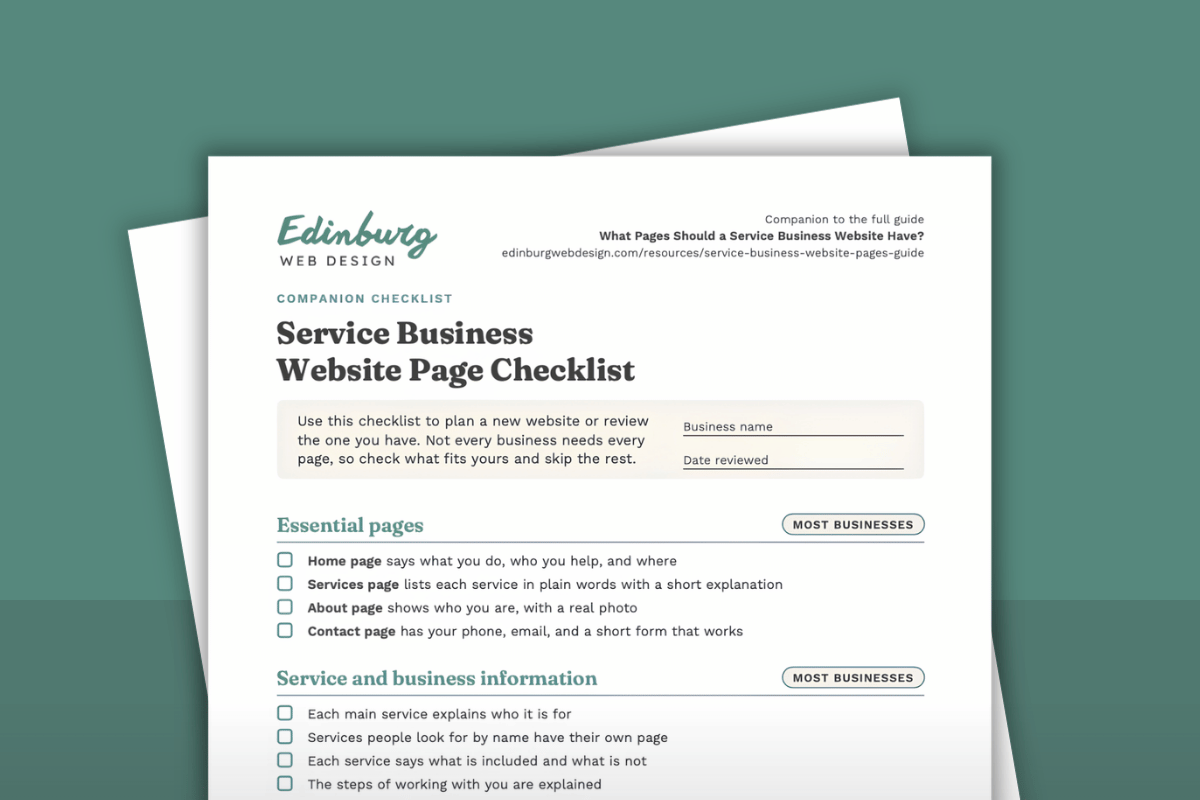
Get the Service Business Website Page Checklist
Want to check your own site against this guide? The Service Business Website Page Checklist is a companion you can print or save. It covers the essential pages, the service and business information those pages should include, trust and credibility, calls to action and contact details, optional pages, policy and legal pages, and a final website check.
Pages that apply to most businesses are marked separately from pages that are only worth adding if they fit your business, so you can skip what does not apply. Use it to plan a new website or to review the one you have now. Use the button below to download it.
About this guide
This guide was prepared by Edinburg Web Design, which designs clear, well-organized websites that help service businesses show who they are and what they do. The guide offers general guidance and is not legal advice. Requirements for legal pages and for regulated professions vary, so confirm what applies to your business with an appropriate professional or licensing body.