You do not need to have your website figured out before you hire a web designer. You need to know your goals for the site, a clearly defined ideal client profile, and of course, your service offering. A designer can help with the rest. The best designers also advise on marketing strategy, a site structure that helps people find you on Google and in newer AI search tools like ChatGPT, and a layout that makes it easy for visitors to get started with your services.
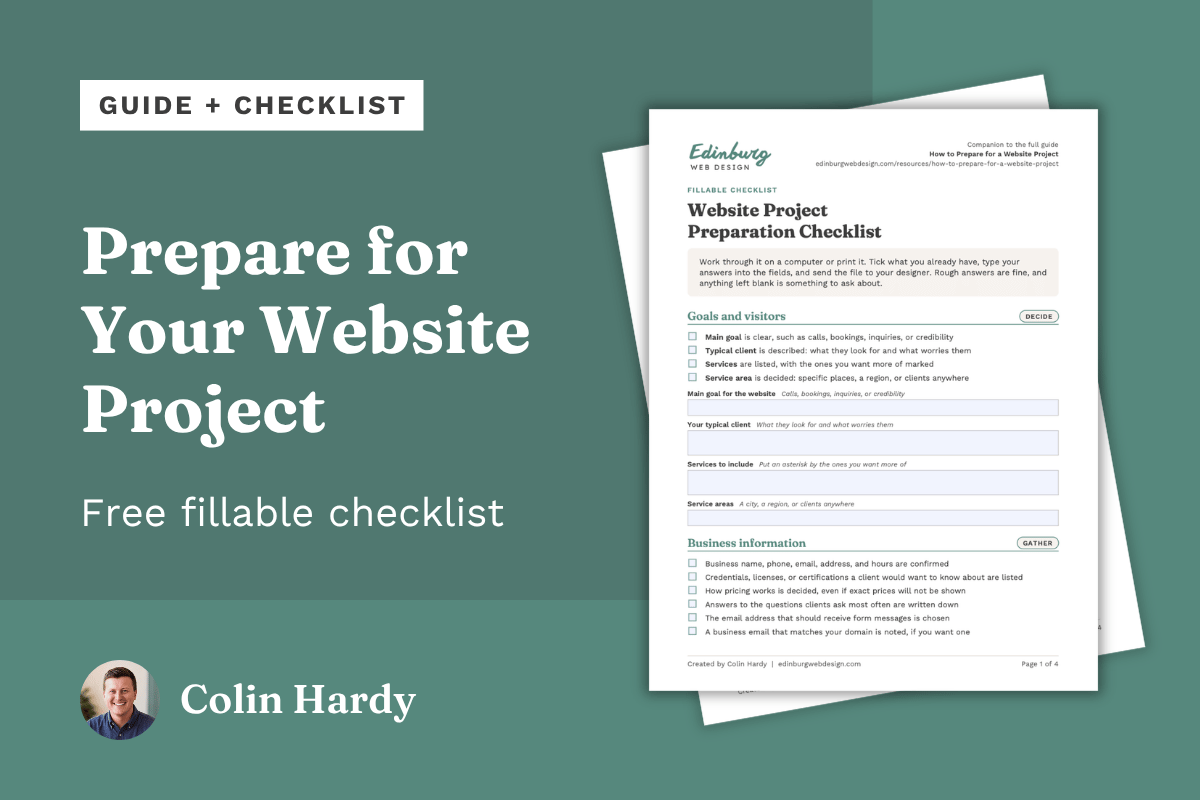
This guide covers what is worth thinking about before a project starts, what can wait, and what a typical website project looks like from start to finish. A fillable checklist you can complete on your computer and send to your designer is available to download.
The short version
Rough answers are enough. A designer will fill in the rest, and often gathers it during your first conversation.
Gather what you already have: your logo files, your domain login, reviews and testimonials, and notes on your services.
Many designers need your logo before design starts, so mention early if you do not have one.
Before you hire, ask who writes the text, how many revisions are included, and what support comes after launch.
Expect most of your effort at the start and at each review. Four to eight weeks is common for a small business website, and some designers work faster. Edinburg Web Design works on a two-week turnaround from onboarding to launch.
Colors, fonts, pages, and technical setup can wait.
What to think about before the project starts
Most of what a designer needs falls into six groups: your goals, your business details, your brand, your content, your accounts, and the people involved. Rough answers are fine, and a designer will often gather much of this during your first consultation, so you do not need to write it all up beforehand.
Your goals and your visitors
What the website needs to accomplish. Pick one main job, such as bringing in calls, booking consultations, collecting inquiries, or simply making a business look established to people who were referred. One main goal and one or two supporting goals give a designer something to build around.
Who the website is for. Describe your typical client: what they are looking for, what they worry about, and what they already know. If you serve more than one group, such as individuals and businesses, describe each one.
Your services. List the primary services you offer and any add-ons or secondary services, and mark the ones you want more clients for. A designer uses this list to plan your pages and menu. A list, price sheet, or brochure is often enough to work with.
Your business information
Business name and contact information. Use the same business name, phone number, email, address, and hours everywhere your business is listed online, including on your new website.
Service areas. Say where you serve clients: one city, several, a wider region, or anywhere.
Important business information. Think about what a new client would ask before getting in touch: credentials or licenses, how pricing works, what happens after they contact you, and anything specific to your field, such as policies or guarantees. If you answer the same question often, the answer probably belongs on the site.
Forms and contact information. Decide which email address should receive form messages. Keep the form short: a name, a phone number or email, and a short message are often enough.
Your brand
Existing branding. Note any colors, fonts, or style you already use on signs, cards, or social media. If you have none, say so, and a designer can propose some.
Logo and brand assets. Find the original logo files, not a screenshot, and ask whoever made the logo if you cannot locate them. Many designers need it before design can start, because they use the logo as the foundation for the style of the site, following your branding. If you do not have a logo, tell your designer at the start so they can plan for it.
Examples of websites you like. This is optional, and a designer can work without it. If you have a few, note what you like about each: the layout, the tone, the colors, or how easy it is to find information. They do not need to be in your industry.
Examples of websites you do not like. Also optional. If something bothers you, such as clutter, small text, or a pushy tone, note it so the designer can steer away from it.
Your content
Testimonials and reviews. Gather written reviews and short testimonials from past clients, and confirm you have permission to use any that include a name.
Existing website content. If you have a current site, list which pages and text are worth keeping and which are out of date.
New website copy. Decide who writes the text: you, the designer, or a copywriter. Many designers expect clients to provide their own copy and offer only light editing, so ask before you agree to anything. Edinburg Web Design includes strategic marketing copy in every package, so you can start from notes and have the writing handled. Writing is a common reason projects run late when it is left until the end.
What rough notes look like. A few lines like these, written for one service, give a designer or copywriter enough to start from. This is an example, not a template.
Service: tax preparation for individuals and small businesses
Who it is for: people with self-employment income, rental property, or a first-time filing
Questions clients ask: what to bring, how long it takes, how fees are set
What sets it apart: the same preparer every year
Next step for a client: book a 20-minute call
You do not need all of it. The right designer can fill in gaps with marketing strategy, such as the questions clients ask. If they also write the copy, your service and your ideal client may be enough to start.
Your accounts and requirements
Your domain. The domain is your web address, such as yourbusiness.com. Find out where it is registered, when it renews, and who has the login, and make sure the account is in your name or your business's name. If a relative, employee, or former web person set it up, sort out access before the project starts.
Business email. If your email address ends in gmail.com and you would like one that matches your domain, such as name@yourbusiness.com, mention it at the start. Email is often set up separately from the website, and a designer can explain the options.
Website platform. The platform is the system the site is built on. You do not have to choose one first. Tell the designer who will update the site, whether you need booking, and what monthly costs you are comfortable with, then ask for a recommendation. Edinburg Web Design builds on Squarespace, a leading website platform known for its reliability and beautiful design capabilities. Squarespace is built for easy self-editing, so you can update text and make small changes anytime. Which Website Platform Is Right for Your Business? covers the options.
Legal and privacy requirements. This is general information, not legal advice. Some businesses and professions have rules about disclaimers, license numbers, advertising, or privacy. Ask your attorney or professional association what applies to you, and share the answer so your designer can place it on the site.
The domain points visitors to your website, and business email uses the same domain but is usually set up separately. Keep all three in your name or your business's name.
How your website accounts fit together
Think of your business as a place people can visit. The domain is the street address, the website is the building, and email is the mailbox. Each one is a separate account.
Domain
Like your street addressYour web address. Visitors type it to find you.
yourbusiness.com
With a registrar, where it is registered and renewed.
Website
Like your buildingThe pages visitors see and use to learn about your business.
Home, Services, Contact
With the platform it is built on. Some platforms include hosting in the subscription.
Business email
Like your mailboxMessages sent to and from your business address.
name@yourbusiness.com
With an email provider. Often set up separately from the website.
Keep all three in your name or your business's name. Your designer needs access to set things up, but the accounts should stay yours, even if someone else creates them for you.
The people involved
Who needs to approve the website. Name one person with the final say, and list anyone else who needs to weigh in, such as a business partner. Bring them in at planned review points instead of at the end.
Where do you stand?
Answer six quick questions to see what is ready and what is worth a look first. Every result ends the same way: you are ready for a first conversation.
What can wait until later
A web designer's job includes helping with decisions you have never had to make, so none of these need to be settled before the first conversation.
The pages and the menu. A designer can suggest the structure from your list of services. What Pages Should a Service Business Website Have? explains the usual choices.
Colors, fonts, and layout. A designer can create a color palette and choose fonts based on your type of business and any branding you already have. Examples you like help, but they are not required.
Technical setup. Hosting, security, and settings are the designer's job to explain in plain language, and you only need to know what you are responsible for afterward.
Polished website text. It depends on the designer. Many expect you to provide finished text and offer only light editing. Others, such as Edinburg Web Design, write strategic marketing copy as part of the project, so rough notes about your services and clients are enough to start. Ask before you agree to anything.
Everything the site might need in a few years. Start with what you need now. A website can grow.
What helps most is clear priorities and honest answers. "I don't know yet" is a useful answer, because it shows the designer where to help.
How a website project works, step by step
Most website projects for a service business move through the same eight stages. This is general industry practice. Designers differ in the names they use, the order, the number of review rounds, what they handle for you, and how long each stage takes, so ask any designer to walk you through theirs.
| Stage | What happens | Your part |
|---|---|---|
| 1. Planning | Goals, audience, services, scope, timeline, and cost are agreed. | Share your goals and priorities, and answer questions. |
| 2. Content and structure | The pages and menu are mapped out, and text and reviews are gathered. | Provide your business information and reviews. Write or review the text. |
| 3. Design | The look is created: layout, colors, and fonts. Many designers start with the homepage. | React honestly to what you see, using your liked and disliked examples. |
| 4. Review and revisions | You give feedback and the designer adjusts the design. | Give one set of feedback that includes every approver. |
| 5. Development and build | The approved design becomes a working website, page by page. | Usually little, apart from answering questions. |
| 6. Testing | Forms, links, and the phone and computer layouts are checked. | Check the facts and test your forms. |
| 7. Launch | The site goes live at your web address. | Give domain access and final approval. |
| 8. Post-launch adjustments | Small fixes and questions are handled once real visitors arrive. | Report anything that looks off, and ask how updates will work. |
Your involvement is heaviest at the start, when information and decisions are needed, and at each review. The build stage is usually the quietest. Waiting on content or feedback is a common reason a project takes longer than planned, so ask for a schedule that shows what is due from you and when.
What keeps a project moving
One person collects feedback. Combined comments are clearer than separate emails from several people, and conflicting opinions get sorted out before the designer sees them.
New ideas come up early. Adding pages or features after the build starts can change the timeline and the cost.
Someone owns updates after launch. Decide whether you will make edits yourself, hire someone, or ask your designer, and ask what that will involve. Many designers offer a care plan, which is a monthly fee for updates, checkups, and fixes so small changes do not have to wait. Plans differ in what they cover, so ask what is included. Edinburg Web Design's care plan covers quick updates done for you, a quarterly check on how the site shows up in search, and a yearly design tune-up.
How to give feedback that helps
Say what and why. "The text feels too formal for my clients" gives a designer more to work with than "I don't like it."
Start with the big picture. Comment on layout, tone, and structure before small details such as one word or the exact spacing.
Separate facts from preferences. A wrong phone number or a missing service must be fixed. A color preference is something to discuss.
Look at the site as a visitor would. Ask whether someone who has never heard of your business could find what they need.
Questions to ask any designer about their process
How many rounds of revisions are included, and what counts as a revision?
What do you need from me, and by when?
Who writes the text, and is it included in the price?
What support is included after launch?
Which accounts will the website, domain, and email live in, who pays for each, and what happens if I change designers or agencies later?
How to compare proposals
If you ask more than one designer for a quote, the totals rarely line up, because each proposal may include different things. Compare what is included before comparing the numbers. Lay the proposals side by side and check each one for:
Scope. How many pages, which ones, and any features such as booking or a blog.
Website copy. Who writes it, and whether it is strategic marketing copy written for your business or text you supply yourself.
Revisions. How many rounds are included and what counts as one.
Timeline. The estimated time from start to launch, and what the designer needs from you to keep to it.
Accounts and ownership. Which accounts the website, domain, and email live in, who pays for each, and what happens if you change designers or agencies later.
Payment schedule. What is due at signing, at milestones, and at launch.
After launch. What support is included, for how long, and what updates cost after that.
Ongoing costs. The domain, the platform subscription, business email, and any care plan.
A lower total can end up costing more if writing, revisions, or support are left out. If a proposal is silent on any of these, ask the designer to add the answer in writing so every proposal covers the same list. Fit matters too: look at relevant examples of past work, how clearly each designer explains things, and how quickly they reply.
A worked example
Here is how two proposals for the same project can differ. This is an invented example with no prices.
| What to check | Proposal A | Proposal B |
|---|---|---|
| Pages and features | 5 pages and a contact form | 8 pages, a contact form, and a booking link |
| Website copy | You write the text | Written for you |
| Revisions | Not stated | Two rounds, with what counts as a round defined |
| Timeline | Not stated | A schedule showing what is due from you and when |
| Accounts and ownership | Set up in the designer's accounts | Set up in your name |
| After launch | Not stated | Support period and update options listed |
| Ongoing costs | Not stated | Domain, platform, and email listed |
An invented example with no prices. A lower total on Proposal A may only reflect what it leaves out or leaves to you, so ask it to spell out each highlighted row in writing before you compare totals.
A lower total on Proposal A may only reflect what it leaves out or leaves to you, so ask it to spell out those rows in writing before you compare totals.
The Before You Start checklist
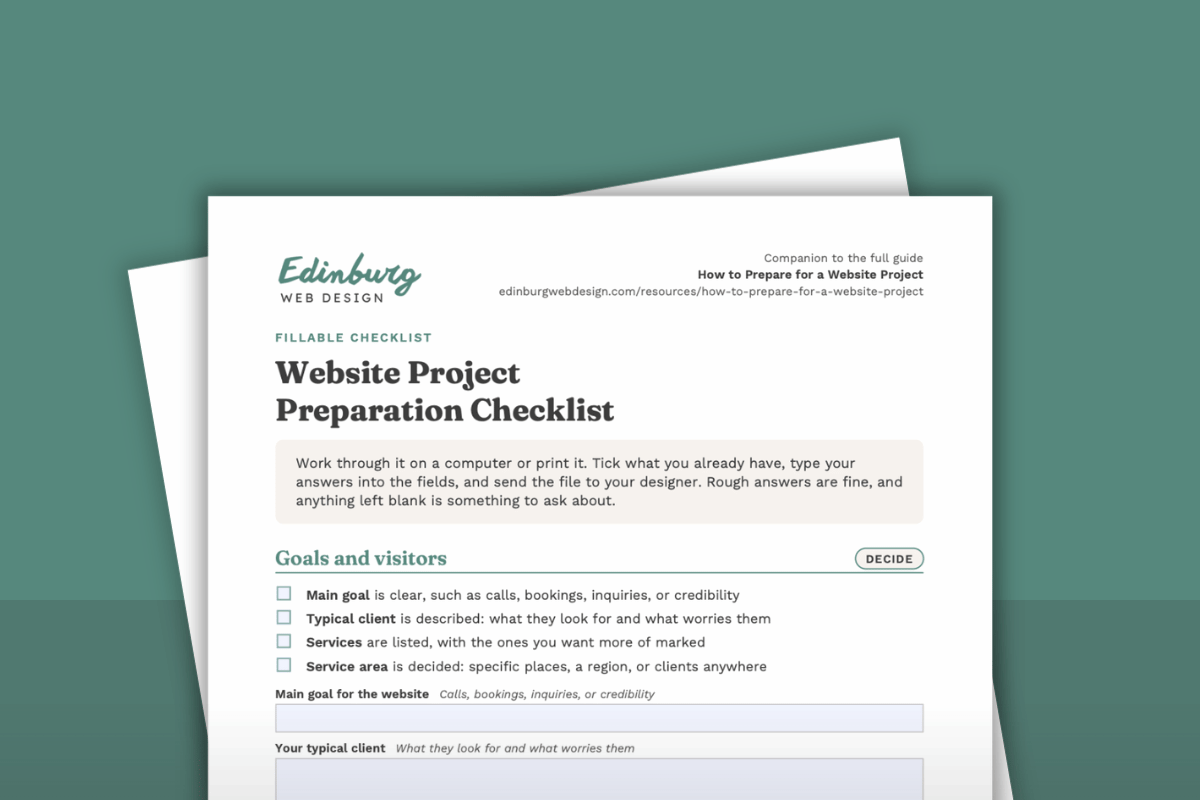
The Website Project Preparation Checklist is a fillable PDF that condenses this guide. Tick what you already have, type your answers into the fields, and send it to your designer or print it for your first conversation.
Frequently asked questions
Do I need a finished logo before I start?
It depends on the designer, but many need your logo before design can start. They use it as the foundation for the style of the site, which follows your branding. Share what you have and ask what your project requires. If you do not have a logo, say so early, because gaps are easier to plan for at the start than to discover during the build.
What if I do not have a website yet?
Start with your list of services, a description of your typical client, and your contact details. Those three things are enough to begin planning pages.
How do I find out where my domain is registered?
Start with the account where you pay for the domain, which is called the registrar. If you do not know where that is, ICANN's public lookup tool shows a domain's registrar and registration dates. Personal details in the record are often hidden. Once you find it, check that you can log in and that the account is in your name or your business's name.
How long does a website project take?
Published guides commonly cite four to eight weeks from kickoff to launch for a small business website of roughly 5 to 15 pages, and simpler sites can go faster. The biggest variables are how quickly content and feedback arrive and the designer's process. Ask for a schedule that shows what is due from you and when. Edinburg Web Design works on a two-week turnaround from onboarding to launch.
How much does a website cost?
Costs vary with the scope of the project and the provider. The biggest drivers are the number of pages, whether writing is included, features such as booking, and ongoing costs after launch. Ask what is included, what costs extra, and what recurring costs follow, such as the domain, the platform subscription, and any care plan. Edinburg Web Design publishes its website package pricing transparently, so you can see what a project costs before you get in touch.
Do I have to write the website text myself?
It depends on the designer. Many expect you to provide the text and offer only light editing, while others include copywriting or sell it as an add-on, so ask before you agree to anything. At Edinburg Web Design, strategic marketing copy is included in every package. You answer an onboarding questionnaire about your business, and the copy is written for you.
What if several people have to approve the site?
Name one person with the final say and collect everyone's comments in a single place before they go to the designer.
Terms you may hear
You do not need to master any of these. A designer will explain them when they matter, and this list is here so none of them catch you off guard.
Domain. Your web address, such as yourbusiness.com.
Registrar. The company where your domain is registered and renewed.
DNS. The settings that point your domain to your website. They are usually updated once, when the site launches.
Hosting. The service that stores your site so visitors can load it. Some platforms include it in their subscription.
HTTPS. The encryption that protects the connection between a visitor and your site. Browsers show it as a padlock, and platforms often include it.
Redirect. An instruction that sends visitors from an old page address to the new one, so old links and bookmarks still work.
Responsive. A layout that adjusts to fit phones, tablets, and computers.
Preview. A private version of the site that you can review before it goes live.
Know what to keep, fix, or drop before you start
If you already have a website, a free website review is a useful way to start preparing. A real web designer looks at your first impression, mobile experience, navigation, messaging, and calls to action, then emails you a PDF with the fixes most worth making and one quick win, within one business day. You will know what to keep, refine, or drop before the new site is planned.
If you are starting from scratch or are ready to talk through your project, get in touch. You do not need to have everything figured out first.
About this guide
This guide was created by Colin Hardy of Edinburg Web Design, which builds websites for service businesses.
Edinburg Web Design builds custom Squarespace websites for service businesses, with strategic marketing copy included. The process is short and focused: a free 30-minute call, a proposal with the pages that will be built (a sitemap) and a quote, one onboarding questionnaire, then review calls along the way, from the first pages to the full site, with a two-week turnaround from onboarding to launch. Other designers may work differently.