The short answer
There is no single best website platform. There is only the best fit for how your business runs, who will manage the site, and what the site needs to do.
For many service businesses, such as therapists, accountants, insurance agencies, attorneys, and gyms, the website has a clear job: look credible, explain what you offer, and make it easy for a new client to get in touch. A website builder like Squarespace that includes hosting and security usually handles that job well.
Other situations point elsewhere. If you want deep control and have someone to maintain the site, self-hosted WordPress is a strong option. If you want precise design control and have a designer, Webflow is worth a look. If you need a custom tool or a very large content library, a typical builder may not be enough.
This guide compares the options on the points that matter to a business owner, then gives you a short framework for choosing. Plans, prices, and features change often, so confirm the details on each platform's official site before you decide.
In this guide
Four questions to answer first
These matter more than any feature list.
Who will manage the site after launch? A site that only a developer can update tends to go stale. Decide whether you will make edits yourself, hire someone, or want to hand it off entirely.
What does the site need to do? Explain your services and collect inquiries, take bookings, sell products, publish articles, or run something custom? Each answer favors different platforms.
How much responsibility do you want? Some platforms handle hosting, security updates, and backups for you. Others leave those jobs to you or someone you hire.
What happens if you outgrow it? Moving to a new platform later usually means rebuilding at least part of the site. Plan a few years ahead without overbuilding today.
Squarespace
Where it fits. Squarespace is an all-in-one builder. Hosting, security, and updates come with the subscription, so there is no separate hosting company or plugin to manage. Sites can be custom designed from scratch, and the editor is organized around pages and sections you can rearrange. Built-in tools cover the search basics, such as an automatic sitemap, editable page titles and descriptions, and SSL. Scheduling, email campaigns, a blog, and an online store are available through Squarespace.
Tradeoffs. Simplicity comes with limits. You work within Squarespace's built-in features and editor. Custom code is possible, but Squarespace does not provide support for code-based changes, and some highly specific functions are not realistic. Extensions fill some gaps. Moving to another platform later usually means rebuilding the design, even when some content can be exported.
Often suits. Service businesses that need a polished site with a modest number of pages (about 5 to 20) and an easy way for clients to book or get in touch.
WordPress
WordPress is really two things. WordPress.org is free software that you install with a hosting company of your choice, often called self-hosting. WordPress.com is a hosted service built on the same software, with plans from simple to advanced. The key difference is who handles hosting, security, and updates.
Where it fits. WordPress is highly flexible. Themes and plugins can add almost any feature, from booking tools to member areas to large content libraries, and its content management suits sites that publish often. Self-hosted WordPress gives you the most control over how the site is built and where it lives.
Tradeoffs. On a self-hosted site, the quality of hosting, security, backups, and updates depends on the host and whoever maintains the site. Plugins from different developers can conflict or fall behind, so the site needs regular attention. Support comes from the community and your host rather than one company. Managed options such as WordPress.com take on more of that work, but plugin and customization access varies by plan.
Often suits. Content-heavy sites, businesses with custom needs, and organizations that already have a developer or agency maintaining the site.
Wix
Wix offers more than one way to build, including a classic drag-and-drop editor, Wix Studio (aimed at designers and agencies), and AI-assisted creation tools.
Where it fits. Wix is an all-in-one builder with hosting included. Its editors give you a lot of control over where things go on the page, and it offers built-in business tools such as bookings and online stores, plus an app market. Developers can add custom code through Velo, Wix's development platform.
Tradeoffs. That freedom can produce uneven layouts when a site is not built with care, so the result depends heavily on who builds it. The range of editors and options also means more to learn and more to choose from. As with other builders, the site lives on Wix, so moving elsewhere later usually means rebuilding. Check which features sit on which plan before you commit.
Often suits. Businesses that want to launch quickly, owners who want built-in bookings or a store, and people who prefer a hands-on, free-form editor.
Webflow
Webflow is a visual design tool that produces custom-built websites without hand-written code, with hosting and a content management system included.
Where it fits. Webflow gives designers precise control over layout, spacing, and interactions. Its built-in CMS handles content such as blogs and portfolios, and on certain paid plans you can export the site's code, which some teams value.
Tradeoffs. Webflow has a steeper learning curve than basic builders, which Webflow itself acknowledges. Most owners will rely on a designer or developer for anything beyond routine content edits. Pricing is split into separate site plans and workspace plans, which can be confusing, so confirm which ones you would actually need.
Often suits. Design-forward brands, marketing teams with someone comfortable in the tool, and sites that need custom layouts and structured content but not a full custom application.
What about building a site with an AI tool?
AI tools can now write a working website from a plain-language description, and that is changing what is possible. It is a different decision from choosing a platform, though, because the tool writes the site but does not automatically run it.
Where it fits. A technically comfortable owner who wants a simple custom site, a quick prototype to react to, or a first draft of page structure and copy to bring to a designer.
Tradeoffs. Someone still has to handle what a website platform normally bundles: hosting, the domain connection, working forms, backups, software updates, testing on phones, and fixing things when they break. Some AI tools include hosting and some do not, so ask early. Later edits usually mean going back to the tool or to a developer, and a site you cannot confidently maintain can become a liability. These tools also change quickly, so check what a specific tool offers today.
Often suits. Owners who are comfortable with technical work, or who have someone who is. For most busy service professionals, a more practical use of AI is drafting copy and outlining pages, then building on a platform that handles the rest. Many website platforms now include their own AI features for drafting text and layouts.
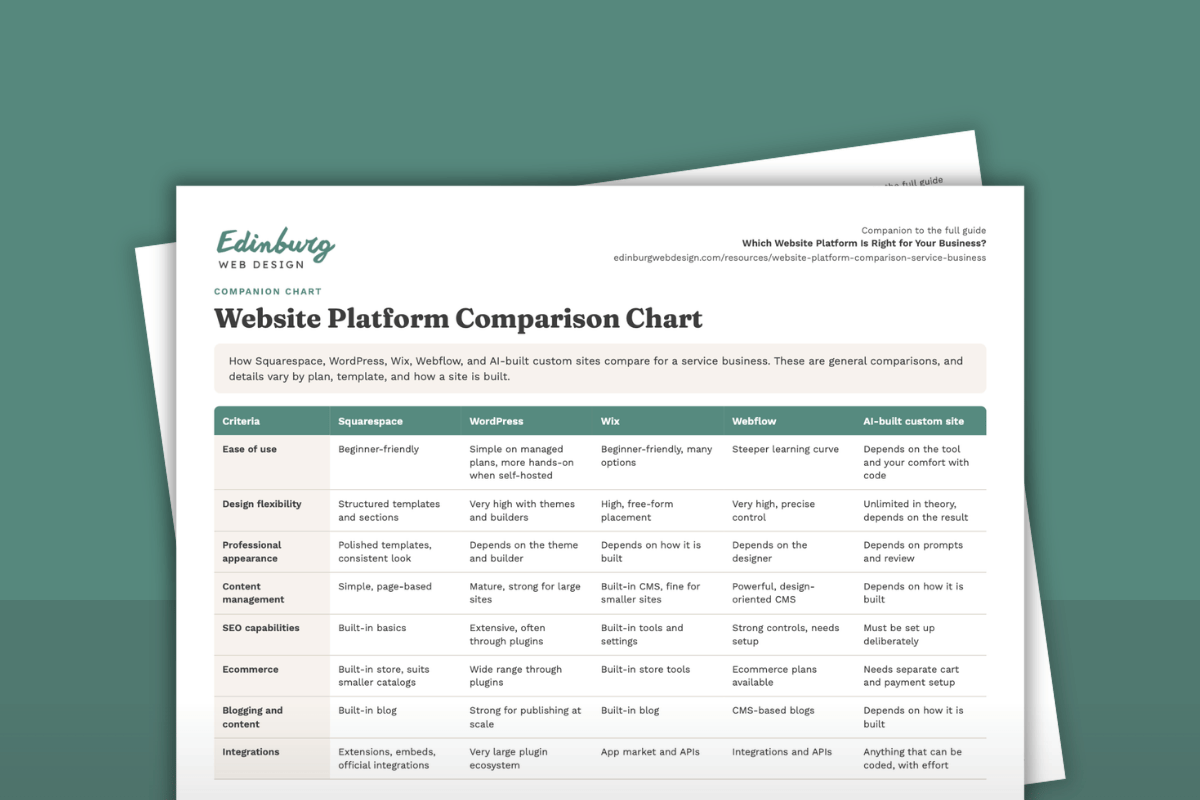
Platform comparison at a glance
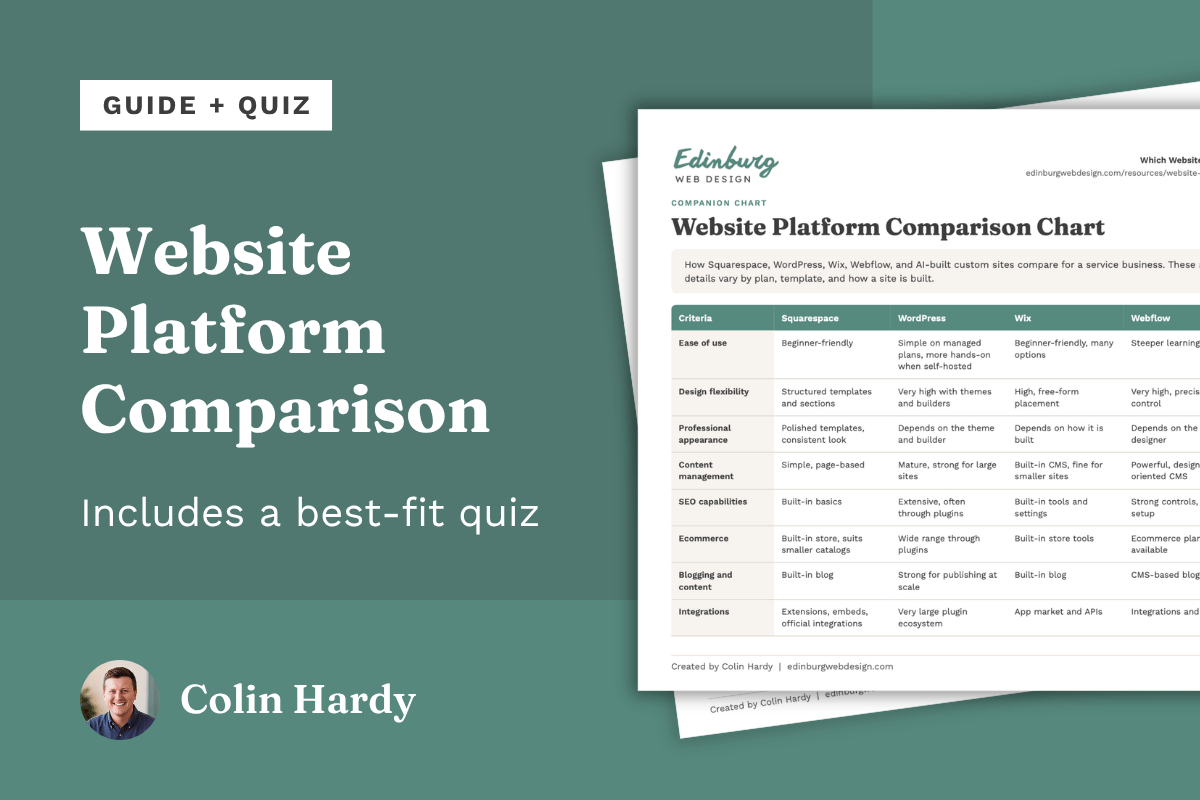
A one-page chart compares all five options side by side on 15 points: ease of use, design flexibility, professional appearance, content management, SEO capabilities, ecommerce, blogging, integrations, maintenance, security, scalability, typical use cases, relative cost, technical expertise, and fit for service businesses.
The biggest differences come down to four things:
Who handles maintenance and security. Squarespace, Wix, and Webflow handle hosting and updates as part of the platform. Self-hosted WordPress and AI-built sites leave that to you or someone you hire.
How much design control you get. Squarespace uses structured templates, and Wix is free-form. WordPress and Webflow offer the most control, with more skill required.
How much technical skill is needed. Squarespace and Wix ask for the least. Webflow and AI-built sites ask for the most.
Relative cost. Squarespace and Wix sit in the middle. WordPress, Webflow, and AI-built sites vary the most, depending on hosting, plugins, and designer or developer time.
For most service businesses, which platform fits best?
For a typical service business, Squarespace is often the most practical choice. The reasoning comes down to fit, not to Squarespace winning everywhere.
Most professional service websites do the same few jobs. They build trust, explain the work, answer common questions, and make it easy for a new client to call, book, or send a message. Those jobs rarely need custom software. They need clear structure, a polished look, a site that works well on phones, and a way to keep it current without hiring a developer for every change.
Squarespace is a practical fit for that kind of site because:
Hosting, security, and updates are part of the subscription, so there is less to maintain.
Structured templates make it easier to keep a consistent, professional look.
Built-in search basics and scheduling cover what many service businesses need.
The editor is approachable for owners who want to change hours, staff bios, or service descriptions themselves.
Costs are easier to predict than a combination of hosting, plugins, and maintenance.
That describes many therapists and counselors, accountants and bookkeepers, insurance agencies, attorneys, gyms and studios, and consultants.
When Squarespace may not be the best choice:
You need a custom application or highly specific functionality that built-in features and extensions cannot cover.
You publish a very large amount of content or need advanced content structures. WordPress or Webflow may fit better.
You run a large or complex store. A platform built mainly for ecommerce may serve you better.
You have a developer or team who wants full control over code, hosting, and workflows, or you are comfortable building a custom site with an AI coding tool and maintaining it yourself. Self-hosted WordPress, Webflow, or a custom build may fit better.
You want design that goes beyond what templates and sections allow. Webflow may fit better.
You want the option to move the whole site to another provider easily. Self-hosted WordPress is generally more portable.
Edinburg Web Design focuses on Squarespace because this fit comes up so often among service businesses, and specializing makes it possible to do the work well. When another platform is the better answer, the honest move is to say so rather than build something that does not fit.
Which platform might be right for you?
Find the description closest to your situation. Most owners will recognize themselves in one or two of these.
Service business with a straightforward website (home, services, about, contact). Look at Squarespace, Wix, or WordPress.com. Hosting and security are included, and a site like this rarely needs custom features.
You want an online store. Squarespace or Wix suit smaller stores, WordPress with ecommerce plugins offers more flexibility, and ecommerce-focused platforms suit large or complex stores. Store needs vary widely, so match the platform to the size of your catalog.
You need a highly customized web application. Look at custom development, which may involve AI tools plus a developer. A website platform may be the wrong category.
Your site is content-heavy. Look at WordPress or Webflow, which have stronger tools for organizing and publishing large amounts of content.
You have significant technical resources. Look at self-hosted WordPress, Webflow, or a custom build. You get more control, with more responsibility.
You want to manage the site yourself. Look at Squarespace or Wix. Both have approachable editors, with hosting handled for you.
Visual design and simplicity matter most. Look at Squarespace, or Webflow if you have a designer and want more control. One offers polished structure out of the box, the other precise control with the right help.
If two platforms still seem to fit, compare them on three points: who will update the site, what it will cost over several years including your time and any help you hire, and how hard it would be to change course later.
Before you decide, check these on each platform's own site
Features, plans, and policies change, so confirm the current details directly.
Current pricing, renewal pricing, and what each plan includes
Whether the features you need (bookings, forms, store, blog, custom code) are included on the plan you would actually choose
What support covers, and what falls outside it
How you could export your content if you moved later
That the domain and account are registered in your name or your business's name
Whether a free trial is available, so you can try the editor before committing
Want a second opinion on your situation?
If you already have a website, a free website review from Edinburg Web Design is a simple place to start. You get a written review of your current site with the fixes that matter most, and no obligation.
If you are starting from scratch, a short conversation about what your site needs to do is usually enough to tell which platform fits.
About this guide
Edinburg Web Design builds websites for service businesses, primarily on Squarespace, and is a Squarespace Circle partner. Because of that focus, this guide aims to be upfront about where other platforms fit better. It is not a recommendation for every situation. Platform features, plans, and policies change, so confirm the details on each platform's official site.